
A year ago, my workday used to feel overloaded. Writing, researching, meetings, planning, task management, automation — everything consumed time.
Table Of Content
Today, I finish the same work in almost half the time.
The reason is not that I work faster.
The reason is that AI works with me.
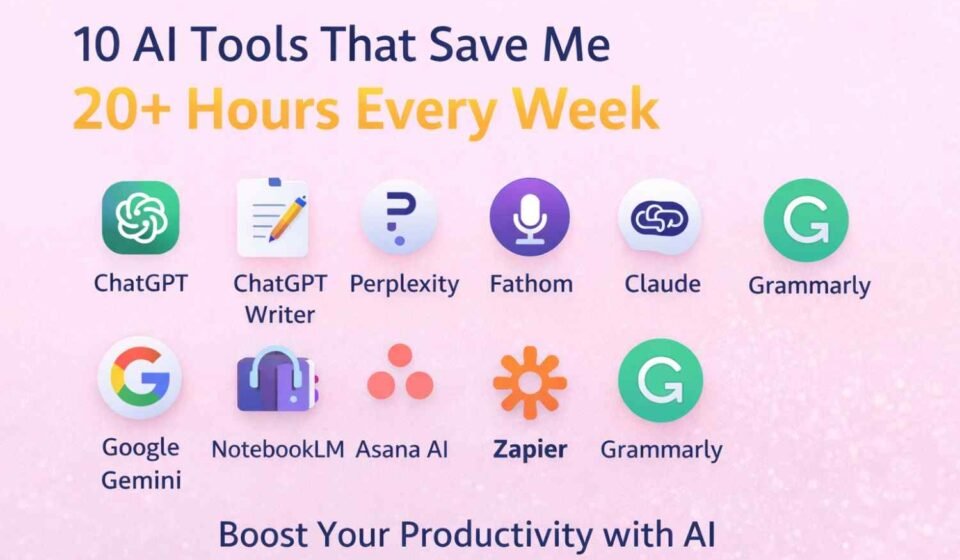
These are the 10 AI tools I use daily that save me more than 20 hours every week.
ChatGPT
Website: https://chat.openai.com
What it is:
A conversational AI assistant that can write, explain, plan, summarize, and brainstorm almost anything.
How I use it:
I treat ChatGPT like a smart colleague sitting beside me all day.
Pro Tips:
Always give role + task + context in prompts.
Ask for step-by-step output.
Use it for thinking, not just writing.
Content for this tool:
Drafting emails
Debugging code logic
Planning blog outlines
Learning new concepts quickly
Here are a few examples of how I use it:
“Explain this NetSuite error in simple words”
“Create blog outline for AI topic”
“Rewrite this message professionally”
Key features:
Natural conversation
Long-form content generation
Coding help
Idea generation
ChatGPT Writer
Website: Chrome Extension
What it is:
An AI writing assistant inside your browser for emails and replies.
How I use it:
To reply to emails in seconds.
Pro Tips:
Use short instructions like “polite reply”, “follow-up email”, “professional tone”.
Content for this tool:
Email replies
LinkedIn messages
Support responses
Examples:
Reply to client emails in 10 seconds
Convert rough notes into proper email
Key features:
Works inside Gmail
One-click professional responses
Time saver for communication
Perplexity
Website: https://www.perplexity.ai
What it is:
AI-powered research engine with sources.
How I use it:
Whenever I need accurate research with references.
Pro Tips:
Ask for “latest information with sources”.
Content for this tool:
Blog research
Technology updates
Fact checking
Examples:
Researching AI news
Understanding new tech releases
Key features:
Source citations
Fast research
Up-to-date information
Fathom
Website: https://fathom.video
What it is:
AI meeting recorder and summarizer for Zoom/Meet.
How I use it:
I never take meeting notes anymore.
Pro Tips:
Tag important moments during the call.
Content for this tool:
Meeting summaries
Action items
Sharing meeting notes with team
Examples:
Client discussion summary
Task extraction from meetings
Key features:
Automatic recording
AI summary
Action item detection
Claude
Website: https://claude.ai
What it is:
AI assistant great for long documents and deep thinking.
How I use it:
For analyzing long PDFs and documents.
Pro Tips:
Upload documents and ask for summary or insights.
Content for this tool:
Document analysis
Policy reading
Long content summarization
Examples:
Understanding 50-page documentation in minutes
Key features:
Large context window
Strong reasoning
Document upload support
Google Gemini
Website: https://gemini.google.com
What it is:
Google’s AI integrated with search and workspace.
How I use it:
For quick ideas and Google Docs help.
Pro Tips:
Use inside Google Docs for writing help.
Content for this tool:
Drafting docs
Brainstorming
Quick summaries
Key features:
Google integration
Fast responses
Workspace assistance
NotebookLM
Website: https://notebooklm.google
What it is:
AI that learns from your uploaded notes and documents.
How I use it:
I upload PDFs, notes, and ask questions from them.
Pro Tips:
Upload multiple sources for better answers.
Content for this tool:
Learning
Research notes
Knowledge base
Key features:
Source-based answers
Personalized knowledge AI
Asana AI
Website: https://asana.com
What it is:
AI inside task management.
How I use it:
To create tasks, summaries, and planning automatically.
Pro Tips:
Convert meeting notes into tasks.
Content for this tool:
Task planning
Project tracking
Team coordination
Key features:
Smart task creation
Project summaries
Zapier
Website: https://zapier.com
What it is:
Automation tool connecting apps.
How I use it:
To automate repetitive workflows.
Pro Tips:
Start with small automations like email → spreadsheet.
Content for this tool:
Workflow automation
Notifications
Data syncing
Key features:
No-code automation
5000+ app integrations
Grammarly
Website: https://grammarly.com
What it is:
AI writing assistant for grammar and tone.
How I use it:
For polishing everything I write.
Pro Tips:
Use tone suggestions for professional writing.
Content for this tool:
Blog proofreading
Email polishing
LinkedIn posts
Key features:
Grammar correction
Tone improvement
Clarity suggestions
Closing Insights
These tools don’t replace my work.
They remove the friction from my work.
That’s how I save 20+ hours every week.
If you start using even 3 of these tools, you will immediately notice the difference in productivity.
AI is not the future of work.
AI is the present shortcut to better work.