Modern Python projects don’t fail because of syntax errors.
They fail because the code becomes hard to understand, hard to change, and risky to extend.
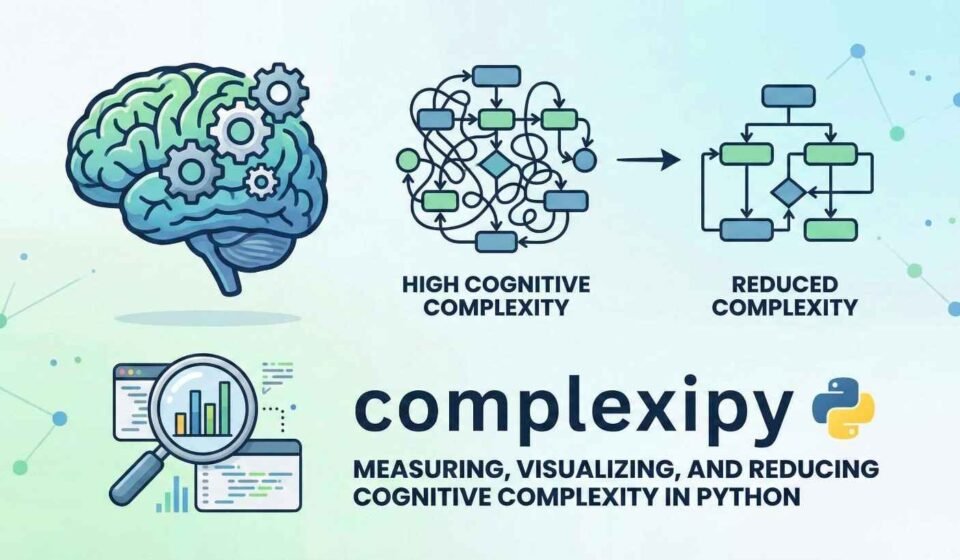
This is where cognitive complexity becomes one of the most powerful engineering signals you can measure.
Instead of asking:
“Is this code working?”
we start asking:
“How difficult is this code to mentally process?”
In this tutorial, we build a complete, reproducible workflow that:
Measures cognitive complexity from raw code
Scales the analysis to real project files
Runs complexipy as a CLI like in real CI/CD
Converts reports into structured pandas tables
Visualizes complexity distribution
Generates actionable refactoring guidance
Everything shown here is fully runnable in Colab, Jupyter, or local Python.
pip install complexipy pandas matplotlib
Before analyzing projects, we validate how complexity is calculated on a simple function.
from complexipy import code_complexity
snippet = “””
def evaluate_orders(orders):
total = 0
for order in orders:
if order.get(“active”):
if order.get(“priority”):
if order.get(“amount”, 0) > 100:
total += 3
else:
total += 2
else:
if order.get(“amount”, 0) > 100:
total += 2
else:
total += 1
else:
total -= 1
return total
“””
result = code_complexity(snippet)
print(result.complexity)
To simulate real-world code, we create a mini project with varied control flow.
from pathlib import Path
import textwrap
root = Path(“demo_project”)
src = root / “src”
src.mkdir(parents=True, exist_ok=True)
(src / “logic.py”).write_text(textwrap.dedent(“””
def route(data):
if data.get(“type”) == “A”:
if data.get(“value”) > 10:
return “High A”
return “Low A”
elif data.get(“type”) == “B”:
for item in data.get(“items”, []):
if item.get(“enabled”):
if item.get(“mode”) == “fast”:
process_fast(item)
else:
process_safe(item)
return “B processed”
return None
def process_fast(item):
return item.get(“id”)
def process_safe(item):
if item.get(“id”) is None:
return None
return item.get(“id”)
“””).strip())
from complexipy import file_complexity
file_result = file_complexity(“demo_project/src/logic.py”)
print(file_result.complexity)
for fn in file_result.functions:
print(fn.name, fn.complexity)
Now we are analyzing actual source files, not just strings.
This is how you would run it in CI pipelines.
import subprocess
subprocess.run([
“complexipy”, “.”,
“–max-complexity-allowed”, “10”,
“–output-json”,
“–output-csv”
], cwd=”demo_project”)
This produces machine-readable reports.
import pandas as pd
df = pd.read_csv(“demo_project/complexipy.csv”)
print(df.head())
We now treat complexity as data.
import matplotlib.pyplot as plt
df[“complexity”].plot(kind=”hist”, bins=10)
plt.title(“Cognitive Complexity Distribution”)
plt.show()
You immediately see which parts of your codebase are risky.
def refactor_suggestion(cx):
if cx >= 20:
return “Break into smaller functions”
elif cx >= 12:
return “Extract nested logic”
elif cx >= 8:
return “Use early returns”
return “Acceptable”
for _, row in df.iterrows():
print(row[“name”], refactor_suggestion(row[“complexity”]))
Now complexity is no longer just a number — it drives engineering decisions.
You now have a system that:
Detects hard-to-read code early
Flags risky functions before bugs appear
Works locally and in CI
Produces visual insights
Provides automatic refactoring hints
This moves your team from:
❌ “Code review by intuition”
to
✅ “Code quality driven by measurable signals”
Cognitive complexity is one of the most underrated metrics in Python development.
By integrating complexipy into your workflow, you can:
Maintain readability as projects grow
Enforce complexity budgets
Prevent technical debt accumulation
Improve long-term maintainability
And the best part — it requires only a few lines of automation.
You don’t need to guess which code is hard to understand.
Now, you can measure it.
Our site uses cookies. By using this site, you agree to the Privacy Policy and Terms of Use.