
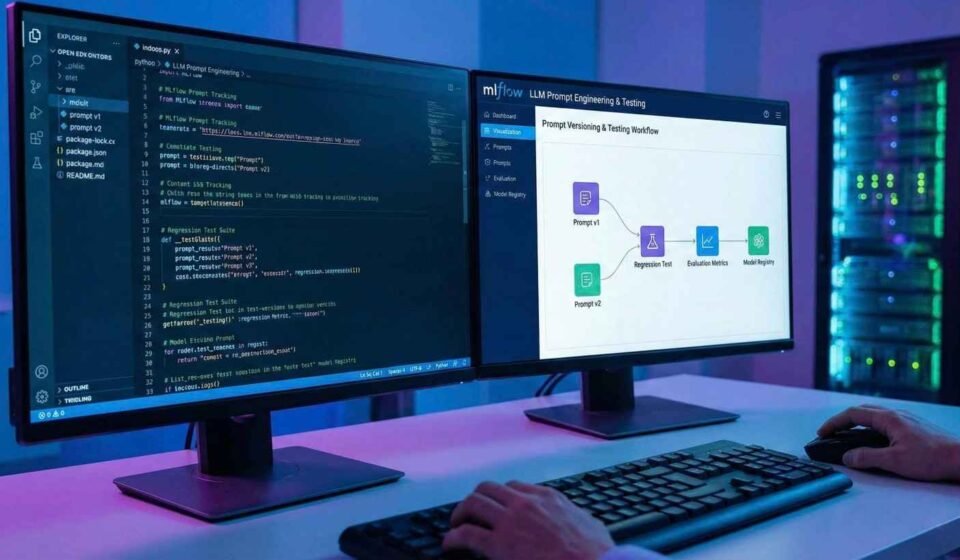
How to Track Prompt Versions and Detect LLM Regressions Using MLflow: An Engineering Approach
Prompt engineering should be treated like software development — versioned, tested, and measurable. In this tutorial, we build a reproducible workflow that logs prompt versions, compares model outputs, and automatically detects performance regressions using MLflow. By combining BLEU, ROUGE, and semantic similarity metrics, we create an evaluation pipeline that turns prompt experimentation into a disciplined engineering process rather than trial and error.
Table Of Content
- Why Prompt Engineering Needs Version Control
- Goal of This Tutorial
- Step 1 — Install Dependencies
- Step 2 — Setup Environment and Libraries
- Step 3 — Define Model and Thresholds
- Step 4 — Create an Evaluation Dataset
- Step 5 — Define Prompt Versions
- Step 6 — LLM Call Function
- Step 7 — Evaluation Metrics
- Step 8 — Evaluate a Prompt
- Step 9 — Regression Logic
- Step 10 — Track Everything in MLflow
- What This Gives You
- Closing Insights
Why Prompt Engineering Needs Version Control
Most teams tweak prompts casually:
“Let’s reword this line.”
“Add one more instruction.”
“Make it more structured.”
And suddenly… outputs get worse.
But nobody knows when, why, or how much they degraded.
This is where most prompt engineering fails. There is no:
Version history of prompts
Quantitative comparison of outputs
Regression detection
Reproducible evaluation
In software engineering, we would never modify code without version control and testing.
So why do we do that with prompts that control LLM behavior?
Let’s fix that.
Goal of This Tutorial
We will build a system that:
Treats prompts as versioned artifacts
Evaluates each prompt against a fixed evaluation dataset
Measures output quality using:
BLEU score
ROUGE-L
Semantic similarity
Logs everything in MLflow
Automatically flags when a prompt change causes regression
Step 1 — Install Dependencies
!pip install -q openai mlflow rouge-score nltk sentence-transformers scikit-learn pandasStep 2 — Setup Environment and Libraries
import os, json, time, re, difflib
import pandas as pd
import numpy as np
import mlflow

from typing import List, Dict
from openai import OpenAI
from rouge_score import rouge_scorer
from nltk.translate.bleu_score import sentence_bleu, SmoothingFunction
from sentence_transformers import SentenceTransformer
from sklearn.metrics.pairwise import cosine_similarity
import nltk

nltk.download("punkt", quiet=True)

client = OpenAI()
embedder = SentenceTransformer("all-MiniLM-L6-v2")
rouge = rouge_scorer.RougeScorer(["rougeL"], use_stemmer=True)
smooth_fn = SmoothingFunction().method3
Step 3 — Define Model and Thresholds
MODEL_NAME = "gpt-4o-mini"
TEMP = 0.2
MAX_TOKENS = 250

MIN_SEMANTIC_SCORE = 0.78
MAX_SEMANTIC_DROP = 0.05
MAX_ROUGE_DROP = 0.08
MAX_BLEU_DROP = 0.10
Step 4 — Create an Evaluation Dataset
EVAL_DATA = [
    {
        "id": "case1",
        "input": "Summarize: MLflow tracks experiments and artifacts.",
        "reference": "MLflow tracks machine learning experiments by logging parameters and artifacts."
    },
    {
        "id": "case2",
        "input": "Rewrite professionally: this tool is slow but useful.",
        "reference": "This tool operates slowly but remains useful."
    },
]
Step 5 — Define Prompt Versions
PROMPT_SET = [
    {
        "version": "baseline",
        "template": "You are precise.\nUser: {text}"
    },
    {
        "version": "formatted",
        "template": "You are structured and clear.\nRequest: {text}"
    },
]
Step 6 — LLM Call Function
def generate_output(prompt: str) -> str:
    res = client.responses.create(
        model=MODEL_NAME,
        input=prompt,
        temperature=TEMP,
        max_output_tokens=MAX_TOKENS
    )
    return res.output_text.strip()
Step 7 — Evaluation Metrics
def tokenize(t: str) -> List[str]:
    return re.findall(r"\w+", t.lower())

def bleu(ref, hyp):
    return sentence_bleu([tokenize(ref)], tokenize(hyp), smoothing_function=smooth_fn)

def rouge_l(ref, hyp):
    return rouge.score(ref, hyp)["rougeL"].fmeasure

def semantic(ref, hyp):
    vecs = embedder.encode([ref, hyp], normalize_embeddings=True)
    return cosine_similarity([vecs[0]], [vecs[1]])[0][0]
Step 8 — Evaluate a Prompt
def test_prompt(template: str):
    records = []

    for ex in EVAL_DATA:
        full_prompt = template.format(text=ex["input"])
        out = generate_output(full_prompt)

        records.append({
            "id": ex["id"],
            "bleu": bleu(ex["reference"], out),
            "rouge": rouge_l(ex["reference"], out),
            "semantic": semantic(ex["reference"], out),
        })

    df = pd.DataFrame(records)
    return df, df.mean().to_dict()
Step 9 — Regression Logic
def check_regression(base, current):
    return {
        "semantic_drop": base["semantic"] - current["semantic"],
        "rouge_drop": base["rouge"] - current["rouge"],
        "bleu_drop": base["bleu"] - current["bleu"],
        "regression": (
            current["semantic"] < MIN_SEMANTIC_SCORE or
            base["semantic"] - current["semantic"] > MAX_SEMANTIC_DROP or
            base["rouge"] - current["rouge"] > MAX_ROUGE_DROP or
            base["bleu"] - current["bleu"] > MAX_BLEU_DROP
        )
    }
Step 10 — Track Everything in MLflow
mlflow.set_experiment("llm_prompt_regression")

baseline_metrics = None

with mlflow.start_run():
    for p in PROMPT_SET:
        with mlflow.start_run(run_name=p["version"], nested=True):
            df, metrics = test_prompt(p["template"])

            mlflow.log_metrics(metrics)

            if baseline_metrics is None:
                baseline_metrics = metrics
            else:
                flags = check_regression(baseline_metrics, metrics)
                mlflow.log_params(flags)
What This Gives You
You now have:
Prompt history
Output comparisons
Quantitative quality metrics
Automatic regression alerts
Fully reproducible experiments
Exactly how software engineering should be applied to prompt engineering.
Closing Insights
Prompt engineering without measurement is guesswork.
By combining MLflow with evaluation metrics, you transform prompt writing from an art into an engineering discipline.
This workflow scales to:
Large evaluation datasets
Multiple models
Production LLM systems
Team collaboration
And most importantly — you will never again break a good prompt without knowing it.